Waze Ban Malaysia: Who Must Stop Using It?
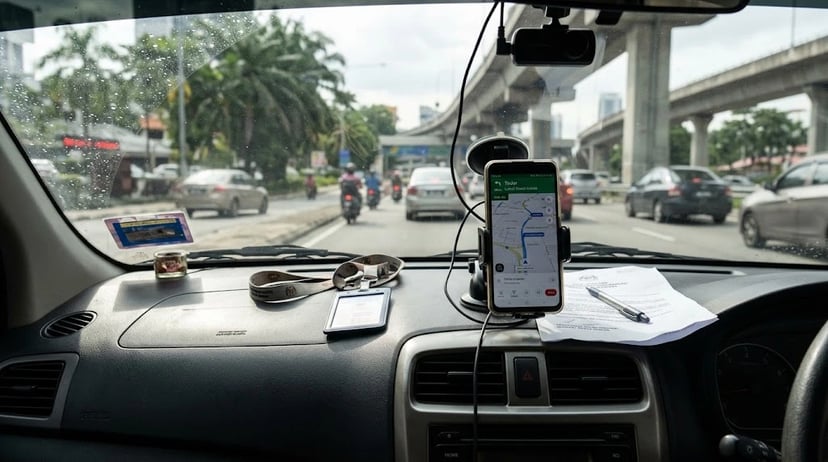
Malaysia’s Waze restriction applies to all public servants, including personal use outside working hours, while ordinary motorists are not covered by a nationwide ban. Location records can reveal repeated routes and routines, which is why NACSA advises users to consider permissions, data handling and security safeguards when assessing navigation apps.
Table of Contents
Who is covered by Malaysia’s Waze restriction?
The rule is broader than official trips. NACSA’s FAQ says the prohibition covers public servants at all times, whether they are carrying out government duties or handling personal matters, including outside working hours. It also recommends that public servants uninstall Waze and use a suitable alternative.
Private motorists are not covered by a nationwide ban. As of 27 October 2026, the restriction described by NACSA applies to public servants. Ordinary drivers may continue using Waze, but should understand what information navigation services can process and check the privacy settings on their devices.
The government’s concern is about potential risk. NACSA says an assessment should consider data accessed by an app, permissions, where data is processed, how long it is retained, third-party sharing and security controls. A potential risk assessment is not, by itself, proof that a provider misused a particular user’s data.
Read NACSA’s Waze FAQ for the current scope of the restriction and its explanation of the government’s assessment.
What can location data reveal?
A single journey may say little on its own. Repeated location records combined with timestamps can make routines easier to infer, such as regular commuting hours or frequently visited places. For people working at sensitive sites, repeated visits could create additional concerns.
Location information is only one part of the picture. NACSA’s FAQ also refers to routes, GPS and device-sensor information, timestamps and IP addresses as information relevant to its assessment. The exact data involved can depend on the service, device settings, and account settings.
Public map points are not the same as a live driver tracker. Waze’s documentation describes GPS points in its Map Editor as anonymous user observations used to help editors improve maps. It says the information is updated weekly and may be stored for up to a few months. Those points alone do not identify a specific driver or establish live tracking.
1. Review location permissions
Check when each app can access your location. In your phone’s settings, review whether a navigation app has access only while in use or also in the background. Consider whether background access is necessary for the features you use, and review other permissions granted to the app.
Look at the account settings too. App permissions control access through the device, while account settings may control saved places, history, or personalisation. Review both rather than assuming one setting covers everything.
2. Check saved places and history
Remove details you no longer need. Review saved home and work addresses, recent destinations and any location history controls offered by the app. If a phone is shared or linked to a vehicle account, check who can access those saved details.
Keep the limits in mind. Deleting a destination from a visible history does not necessarily explain how a service handles all previously processed data. For that, consult the provider’s privacy information and account controls.
3. Assess any alternative app
Switching services is not a privacy guarantee. NACSA lists alternatives including TuJu, PINTAZ, Google Maps, Apple Maps, HERE WeGo, Sygic and Petal Maps, while advising users to consider each service’s data protection and legal jurisdiction. Availability on the list does not establish that an app is risk-free.
Compare the details that matter. Check the app’s location permissions, privacy policy, retention information, third-party sharing practices, and security controls. If you are a public servant, follow your department’s instructions and NACSA’s current guidance.
Expert tip: After changing a location permission, reopen the app’s settings and confirm the selected access level is still active. Phone operating systems may show separate controls for precise location and background access.
Common mistake: Assuming that a locally developed or alternative navigation app is automatically more private. Check its permissions and data practices before relying on it.
Managing car tasks is separate from choosing a navigation app
The Motorist App is for vehicle ownership tasks, not a privacy-rated navigation replacement. Motorist describes features including road tax and insurance reminders, fine alerts, vehicle details and traffic information. Drivers should assess its permissions and privacy information just as they would for any other app.
| Task | Manual way | Motorist App |
|---|---|---|
| Track recurring car obligations | Check 3 items separately: road tax, insurance, and traffic fines. | One app provides reminders or alerts for these vehicle-related tasks. |
| Get help with motoring questions | Find information and contact support yourself. | Use the in-app Personal AutoConcierge chat for motoring assistance. |
| Assess location privacy | Review the navigation app’s permissions and privacy information. | Review Motorist App permissions and privacy information separately; it is not a substitute for this check. |
What Malaysian drivers can do next?
Malaysia’s Waze restriction applies to public servants, including personal use, while ordinary motorists are not subject to a nationwide ban as of 27 October 2026. Whatever navigation service you use, review location permissions, saved history, and the provider’s data practices before deciding what to share.
For vehicle reminders and motoring assistance, download the Motorist App.
Frequently Asked Questions
1. Is Waze banned in Malaysia?
As of 27 October 2026, NACSA’s restriction applies to public servants, including personal use and outside working hours. It is not a nationwide ban for ordinary motorists.
2. Can Malaysian civil servants use Waze for personal trips?
NACSA’s FAQ says the restriction applies to public servants for both official and personal matters, including outside working hours.
3. Why did Malaysia restrict Waze for public servants?
NACSA cites potential risks involving location and movement data, app permissions, data processing jurisdiction, retention, third-party sharing, and security controls.
4. Does Waze track drivers live through GPS dots?
Waze describes Map Editor GPS points as anonymous observations used to improve maps. Their presence alone does not show that a specific driver is being tracked live.
5. What can repeated location data reveal?
When repeated locations are combined with timestamps and other information, they may reveal routines such as regular routes, travel times, or frequently visited places.
6. Should public servants uninstall Waze?
NACSA recommends that public servants uninstall Waze and switch to a suitable alternative. They should follow their department’s instructions and consult the current official guidance.
7. Which navigation apps are alternatives to Waze in Malaysia?
NACSA lists TuJu, PINTAZ, Google Maps, Apple Maps, HERE WeGo, Sygic, and Petal Maps. Users should assess each app’s permissions and data practices before switching.
8. Is a local navigation app automatically safer?
No. An app’s origin alone does not establish its privacy or security. Review its data collection, permissions, retention, sharing, and security controls.
9. How can I limit location sharing on my phone?
Review each app’s location access in your phone settings, limit background access where appropriate, and check saved places and location-history controls in the app.
Plan smarter journeys with the Motorist App
Read More: What to Do If Your Car Breaks Down on a Highway in Malaysia
I want to find the highest selling price for my car within 24 hours!
Download the Motorist App now. Designed by drivers for drivers, this all-in-one app lets you receive the latest traffic updates, gives you access to live traffic cameras, and helps you manage vehicle related matters.